copy / paste & drag / drop still a matter of delicacy > not really a bug but needs work IMHO

Submitted by jan_rifkinson on 2010/09/13 11:41
Same title of earlier post on this subject.
 
I'm bringing it up again because I still find it frustrating when I try different types of drag drop operations.
Sometimes I want to move
Sometimes I want to copy
Sometimes I want to work w multiple items
 
Today it took me 4 tries to drag a copy a single item to another location (child of another item in another grid)
 
Depending on the function, it appears that the cursor has to be in different places
and even if the user gets that far; i.e. figuring out or remembering what goes where
sometimes the function doesn't work.
 
I don't think it's a local issue with my machine, my mouse, my OS.
I just think it needs tweaking & I think the process has to simplified / unified if possible, i.e. always focus on item dot or item #
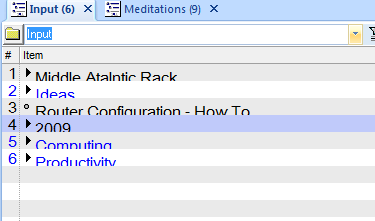
How to copy / paste as a sub-item

Submitted by jan_rifkinson on 2010/09/13 11:25
I've created a little video that I hope illustrates the problem:
 
I copied from email grid & wanted to paste as a child under a TLI
but the paste dialog didn't permit me to do that.
 
I know there are other ways to accomplish this, just saying it's a little weird to me.
I tried describing this in another thread but I don't remember a satisfactory answer

Text Cut Off in Grid

Submitted by David_H on 2010/09/12 15:43
 
Have not used IQ in a while and I just installed the latest portable version.  Any idea why all my text is cut off as if the grid is to small to contain it?
 
OS: Windows 7 64- Bit
Monitor: 2560 x 1600 (never an issue in the past but I mention it in case it is an issue with what appears to be a new grid versus the one when I last used IQ, I have run into a lot of bugs in programs where things don't render properly on a 30")
 
Thanks

clipping dialog grid drop down menu

Submitted by jan_rifkinson on 2010/09/12 14:49
In clipping dialog <Win>+C we currently have the ability to send (paste) clipped material to InBox or Current Grid.  This is good
But I would like to suggest the following:
 
Make InBox a program option default
 
Create a drop down list (like fields & wikitags) that contains 'current grid' + the names of existing grids
This list would update automatically as new grids are created or deleted.
User would select grid & item would go to both Inbox & selected grid
 

Calendar views

Submitted by Jon on 2010/09/12 13:34
First, congratulations on 25a. It looks really good.
 
I may be doing something wrong, but the 5 and 7 day views are identical. Shouldn't the 5 day view display Modnay through Friday only? Is there an option that I have missed to define non-working days (as in gantt options)?
 
Jon 

ItemInCalendar -- suggestion

Submitted by Armando on 2010/09/11 13:14
Probably on the road map anyway... But it would be nice to be able to check that field and then the corresponding item would be shown in the calendar. I already reconfigured my appointments grid so that I can see all calendar items etc. but would like to just be able to check that ItemInCalendar field to show them/remove them in the calendar.