How do I make InfoQube stop displaying the image in the URL field when I input a path to a jpg file. This is what I'm getting:
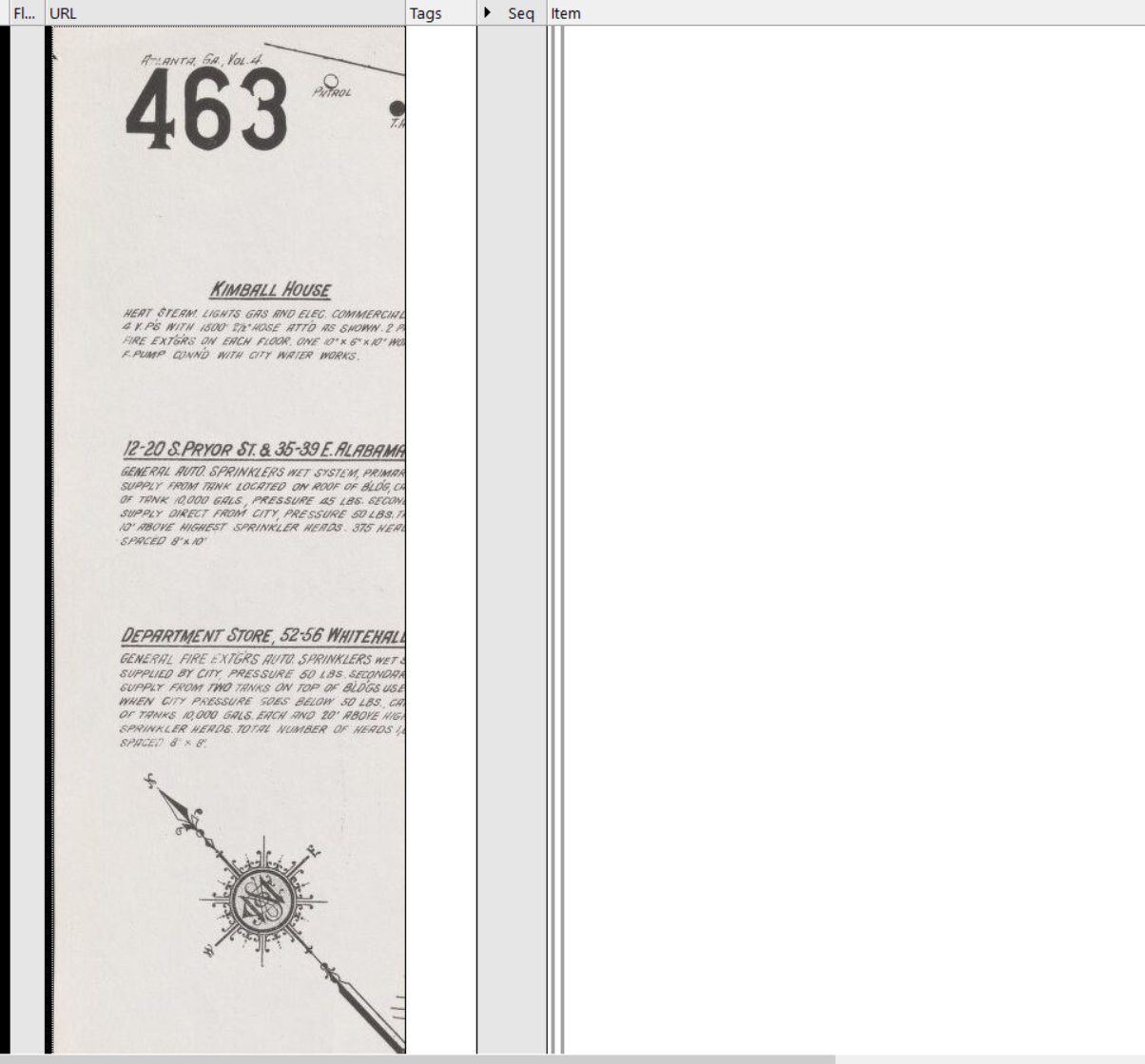
When this happens, it won't let me delete the image in the URL field. I end up having to delete the whole item.
It started doing this a few versions ago and I can't find an option to control this.
This is an example of what I'm putting into the URL field:
D:\Projects\Leo Frank\Maps\_1911 Sanborn - Atlanta\463 - Alabama, Whitehall.jpg
I want the URL field to launch this file in its own program when I double-click the link, not display the image in the URL field.
Wayne
How do I ?
Comments
I think I figured out how it…
I think I figured out how it works. If I want to use the regular path in the URL field, I need to first add text there, and make that text a link (ctrl-k)
Alternatively, I can create an inline link in the text field. When you do that, InfoQube creates a link in the URL field with different formatting, and without displaying the image there.
That's enough for my purposes.
Wayne
Turning off Grid > Pictures…
Turning off Grid > Pictures may be another way
OK, thanks.
OK, thanks.