When I drag links into InfoQube, sometimes the link address gets left behind as a ghost image that remains above all program windows and won't go away until I close and re-open the file.
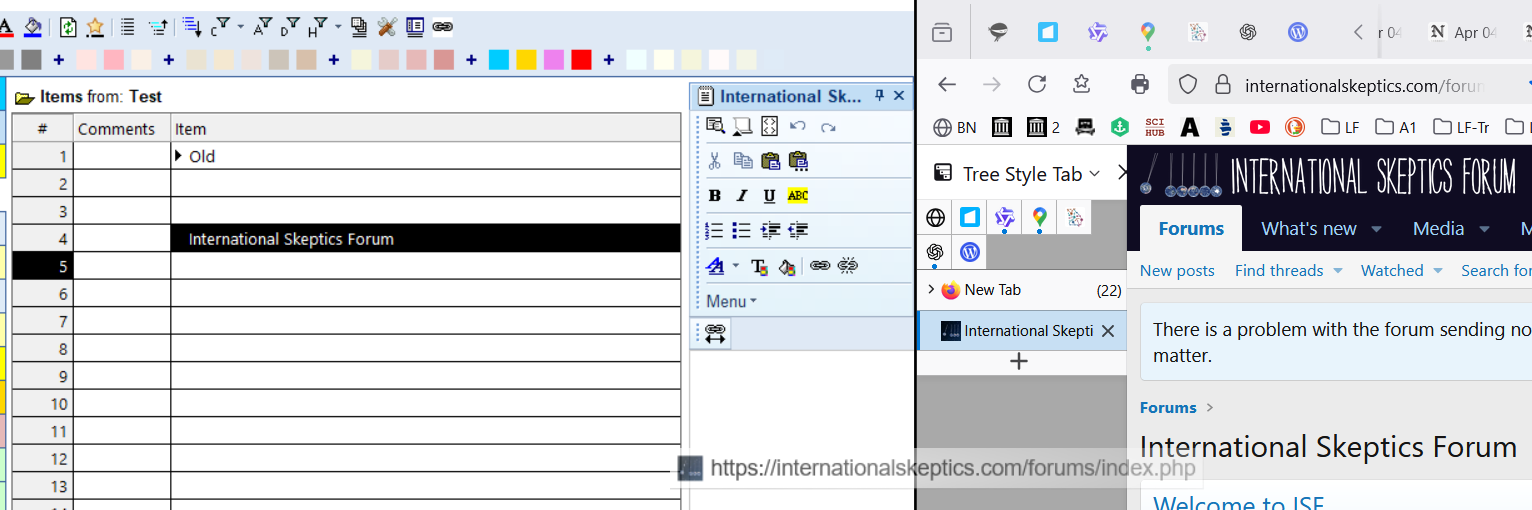
In the image above, I've dragged the link on the right into InfoQube and created a new item. Near the bottom of the screen, you can see the address of the website left behind as a separate image. The image remains in place when program windows are minimized:

Today, I finally figured out what's causing it. It happens when I drag a link across the document pane white area. If I go across the menu area, it doesn't happen.
Not a big deal now that I know how to avoid it.
Wayne
Win 10, 127.0
Bug reports
Comments
Hi Wayne, This is a known IE…
Hi Wayne,
This is a known IE issue. 3 ways to fix it:
If the 3, #3 is the least intrusive
HTH !