Double click to Edit Cell stopped working in v119Pre7
I have set double-click action to edit cell. However, that stopped working in v119Pre7 (it worked fine in v119Pre5)
I upgraded from 119pre5 to 119pre7 and now have issues pasting HTML.
It now asks every time if I want to paste as HTML or text when I use Ctrl-v.
It then often pastes with HTML code. Here is an example, where I copied (Ctrl-c) the highlighted link:

I opened an MHT file in the doc pane. The MHT file has links and it works fine when I click on them.
However, if I move away from the item and then back, I need to hit refresh each time to be able to use the links.
Is this a bug or a feature request to have it automatically refresh when the item is clicked?
I have E-mailed you an Example file.
p.s. When I open the MHT file, it uses the absolute path; e.g. C:\myfiles\Infoqube\file.mht
If I have the database and MHT file in the same directory, can I use relative paths; e.g .\file.mht?
I am not sure if this is supposed to work:
1. I select text of an item make it bold and color it red.
2. I select the text and copy (Ctrl-c)
3. In a new item, I paste as HTML format.
=> The text is pasted bold, but color is black...
BTW, Is "Copy Special" supposed to bring up a menu? It doesn't.
Hello!
Steps:
1- Open a new sample db with a fresh installation
2- Select some grid
3- Ctrl+P
4- Select "WYSIWYG printing of the complete grid"
5- In the print preview window, click "Options"
6- modify some options and click OK
Nothing happens.
I have a Grid with "sub-grids" that I described here:
https://infoqubeim.com/drupal5/node/5384
When I try to open one of those grids "Inv_All", IQ hangs (with CPU at 25%) and never opens (well, at least not within 10 min).
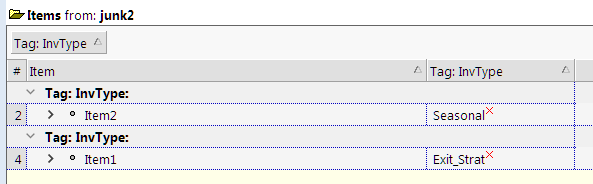
I created new Grid with the same source as in "Inv_All" and two Tag columns (I don't remember exactly what columns I had in "Inv_All"). That new Grid, "junk3" first opened fine. However, as I was troubleshooting and had to close IQ several times when it hung, that Grid also stopped responding.
I have a grid with the following columns:

I applied this column set to another grid (w/o any columns) and got this:
Hi Pierre,
I am not sure how to troubleshoot this... Do you use Notepad++?
I open a script file (EasyLanguage) in Notepad++ and I have added a custom Language file for syntax coloring.
I then use the built-in plugin NppExport to copy HTML to clipboard.
I finally paste the HTML code into the Doc Pane.
This usually works fine.
However, sometimes, IQ hangs after successful pasting and the CPU goes to 25% (on a 4-core CPU) and my PC consequently barely responds.
Hi,
I'm using IQ v119pre4.
Just reporting that drag & drop from Vivaldi browser into IQ doesn't create an item.
Drag & drop from other browsers (Chrome, Edge, Firefox) is working properly.
Thanks,
Carlos
Minor Bug:
1. Select a column; The header is Gray and the text is Black.
2. Column|Color|Red => The Column Header turns Red and the text color changes from Black to White
3. Column|Color|None => The Column Header turns back to Gray but the text color is still White
4. Fix it by Column|Color|Yellow followed by Column|Color|None
BTW, is it possible to only color a specific cell in the column red (not the whole item)? If so, can it be done by an Auto-assignment?