Links to Files, Folders and URLs
1. Links to Files and Folders
An item can contain links to files and folders. To create such links, use one of the following methods:
- Drag-drop files and folders from File Explorer
- Copy - Paste files and folders from File Explorer
- Create a hyperlink
- Use the New Item dialog
- Manually fill file-related fields
1.1 Drag-drop files and folders from File Explorer
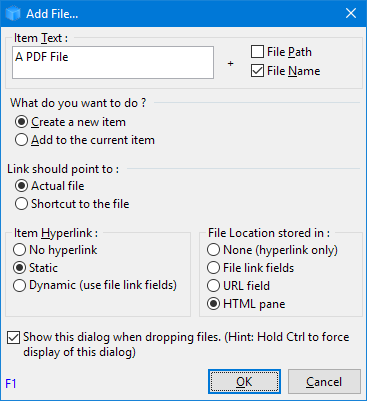
When dragging a file or folder from File Explorer the following dialog will be shown: