Keep Image Aspect Ratio

Submitted by viking on 2025/08/25 02:42
Forums

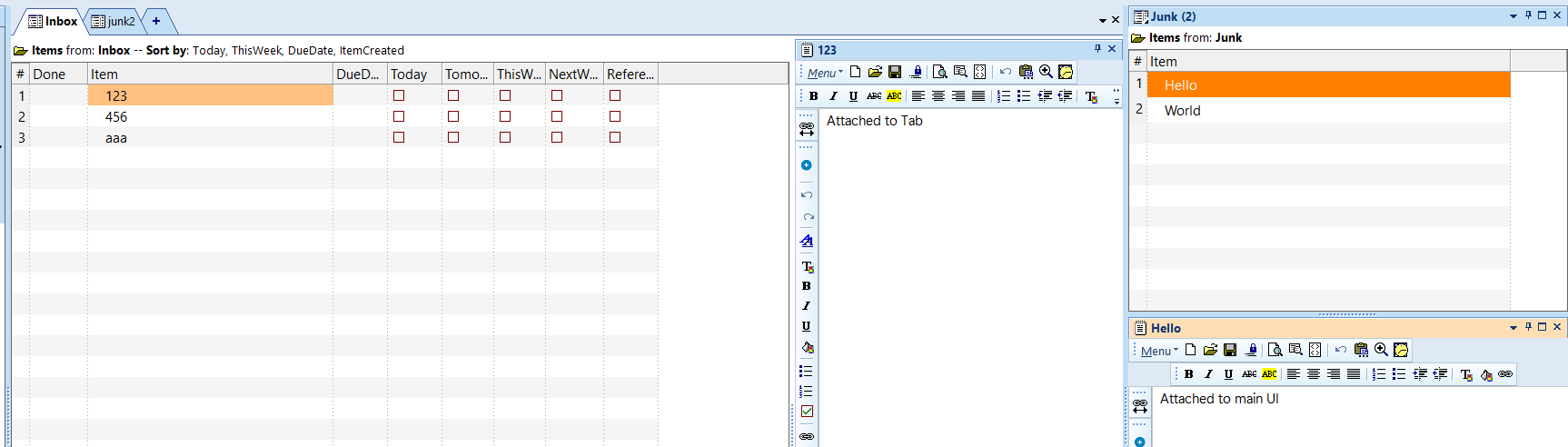
I often paste bitmap images into the Doc pane. When I edit the image size, it would be helpful to be able to lock the Aspect ratio.

For example, if I have an image 520x310 and I change the width to 200, the height would then automatically be set to 119 w/o me having to calculate the ratio 520/200=2.6 and then manually adjust the height to 310/2.6=119.

Why am I getting grid load error message?

Submitted by WayneK on 2025/08/24 10:27
Forums

1) Grid "Ref">Save as>Ref-2

2) Keep Ref grid source "Ref"

3) Change Ref-2 source to "Ref-2"

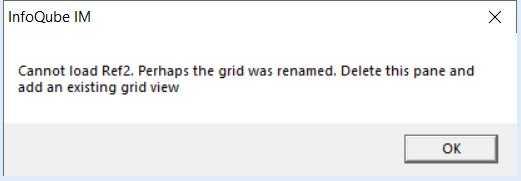
I've done the above sequence for grids many times without a problem.  But this time, every time I open the "Ref" grid, I get this message:

I click "OK" and the grid loads correctly.  What is causing this message and how do I make it go away?  

collecting all dates and filtering "today" and "now"

Submitted by iqhlp on 2025/08/21 19:47
Forums

been having a lot of trouble with this filter:

First Id like to include items that have any date field (from different calendars)- NOT having to manually type each field in the filter. 

Then Id like to filter those that are 'today'. Trouble is that all these date fields are reoccuring. And the grid doesn't seem to recognize the reoccuring dates, so only the original date is found -not the reoccurance.

Id also like another that is NOW at THIS time...


Is there a way to accomplish this?

IQ Training Session #15: Items, Events, Reminders and the new IQ Calendar List / Search view

Submitted by Pierre_Admin on 2025/08/20 14:29

Group Training announcement and links to past sessions: Group Training Sessions

Hi IQ Users,

  1. InfoQube has Items, but also Events and Reminders... are they the same, and if not, how are they related?
  2. InfoQube has always been able to search for items, but it can now search specifically for events. How does it work?

To prepare for this session, you can refresh your knowledge of 2. IQ Calendar

Clicking Alt or Shift Keys Scrolls up Doc Pane

Submitted by viking on 2025/08/20 03:28
Forums

I am not sure if this is a bug or by design. If by design, I suggested it to be changed (or to have an option):
I have long Doc Panes. 
Example 1:
I have a doc pane attached to the main UI.
1. I put the cursor close to the top in the doc pane. 
2. I scroll down to read something in the doc pane.
3. I click Alt key; e.g Alt-Tab to switch application
=> The doc pane scrolls up, and I need to search again for where I was reading in the doc pane

Can't Paste Into Doc Pane

Submitted by viking on 2025/08/19 00:05
Forums

I just upgraded from v1.124.6 to v1.127.1 and got a new issue.
If I create a new item, with a doc pane, I can paste items into the doc pane. I can also insert a date/time stamp.
However, if I navigate away and back to this item, I can no longer perform a paste or insert a date/time stamp.

If I try to copy/paste from Notepad, nothing happens; If I try to copy/paste from another doc pane, I get the popup asking what format to paste, but then nothing is pasted (e.g after selecting plain text).