Ability to suppress or set defaults for certain dialogs

Submitted by TMZ on 2026/01/25 09:07
Forums

Hello,

I would like to submit a feature request regarding several confirmation dialogs that appear very frequently during everyday use of InfoQube.

In workflows involving extensive drag & drop operations, especially when working with repeating items and field inheritance, the following dialogs are triggered repeatedly:

Rebuild Database Issue

Submitted by viking on 2026/01/17 16:45
Forums

For unknown reasons, my database often gets corrupted; a few second after starting IQ, it no longer responds (I have waited up to about 10 min). Sometimes, if I restart a few times, I can get IQ to respond (after a long delay).

Repair doesn't help, but rebuild fixes the issue.
The problem is that I need to get to the rebuild screen very quickly before IQ stops responding. I usually have to try a few times.

How to collapse all headings in the doc pane

Submitted by comvox on 2026/01/13 11:29
Forums

Is there a way to collapse all the headings in the doc pane at one time. At present, one has to go through and collapse one heading after another. If one could collapse them all at one time, this would really enhance the usefulness of expand/collapse in the doc pane. As it is, if one wants to, say,  search for a word, one may need to expand all the headings. But then, if one has makes any changes, one has to tediously collapse one heading after another.

How to control image size in grid?

Submitted by WayneK on 2026/01/01 15:16
Forums

I keep most images in the doc pane, where they can be re-sized by dragging handles.

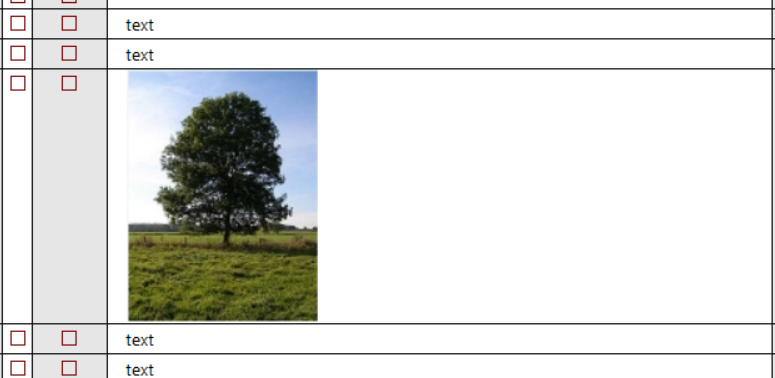
Sometimes, though, I want to see the image inside the grid outline like this:

Usually, when I paste the image it comes in way oversized and I have to go thru multiple steps to reduce the size (eg by going to the document pane, re-sizing, and redoing the screen cap).